Lesson 6 of 7
Read the scope
A simulation is only useful if you can see what happened. The Analysis Console has two panes: the Signal Monitor — an oscilloscope-style view of every captured trace — and Eigenvalues / Root Locus, which reads out your system's poles and how they move.
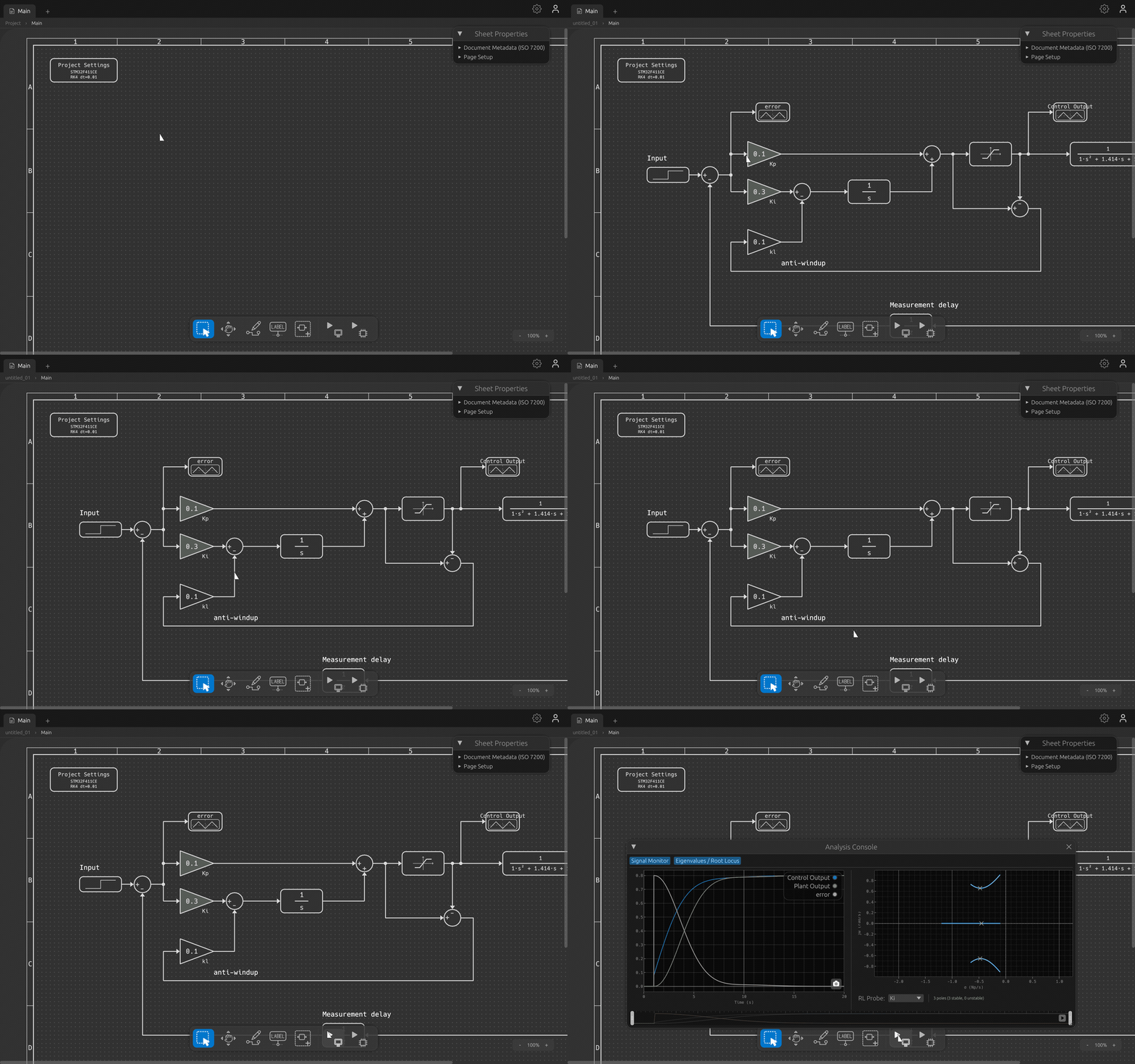
Open the Signal Monitor
Open the Analysis Console and switch on the Signal Monitor pane. Any signal feeding a Scope block — or tagged with a data label — shows up as a trace you can inspect.
Read a trace
- Pan and zoom the time axis to focus on a transient or stretch out a slow response.
- Drop cursors to read exact values and measure intervals between points.
- Overlay multiple signals to compare them — for example a setpoint against the controller's output.
Eigenvalues, automatically
The Analysis Console's second pane — Eigenvalues / Root Locus — is where Block Designer goes beyond a plain oscilloscope. After every run it linearizes your model and computes its eigenvalues (poles) for you, with no extra setup. They're plotted on the complex plane, so you can read stability at a glance: poles in the left half-plane are stable, anything crossing to the right is not.
Because the system is re-linearized from the simulation snapshots, you can scrub a time slider and watch the poles move — useful for nonlinear designs whose local dynamics change as the state evolves.
Root locus from a gain probe
To see how a gain affects stability, drop a Gain Probe block
into your design in place of a fixed gain. It carries a sweep range
(k_min … k_max); when root-locus tracking is on,
Block Designer sweeps that gain across the range and plots the
root locus — the path each pole traces as the gain changes.
You can place more than one Gain Probe on the same canvas; a RL Probe selector in the console lets you choose which one drives the locus, so you can study each gain's effect in turn.
Tip: need the numbers elsewhere? Export any trace to CSV and open it in a spreadsheet, Python, or another analysis tool.
You've now built, configured, simulated, and inspected a design — signals, poles, and root locus. The final lesson takes that loop onto real hardware.