Visual Logic Design
- Click-to-place canvas with a zoomable grid
- Searchable palette of 50+ pre-built blocks
- Live parameter editing with inline validation
Block Designer is a self-hosted visual environment for embedded control — a lightweight, self-contained take on model-based design. Draw your control loop, simulate it with real solver fidelity, then flash it straight to an STM32.
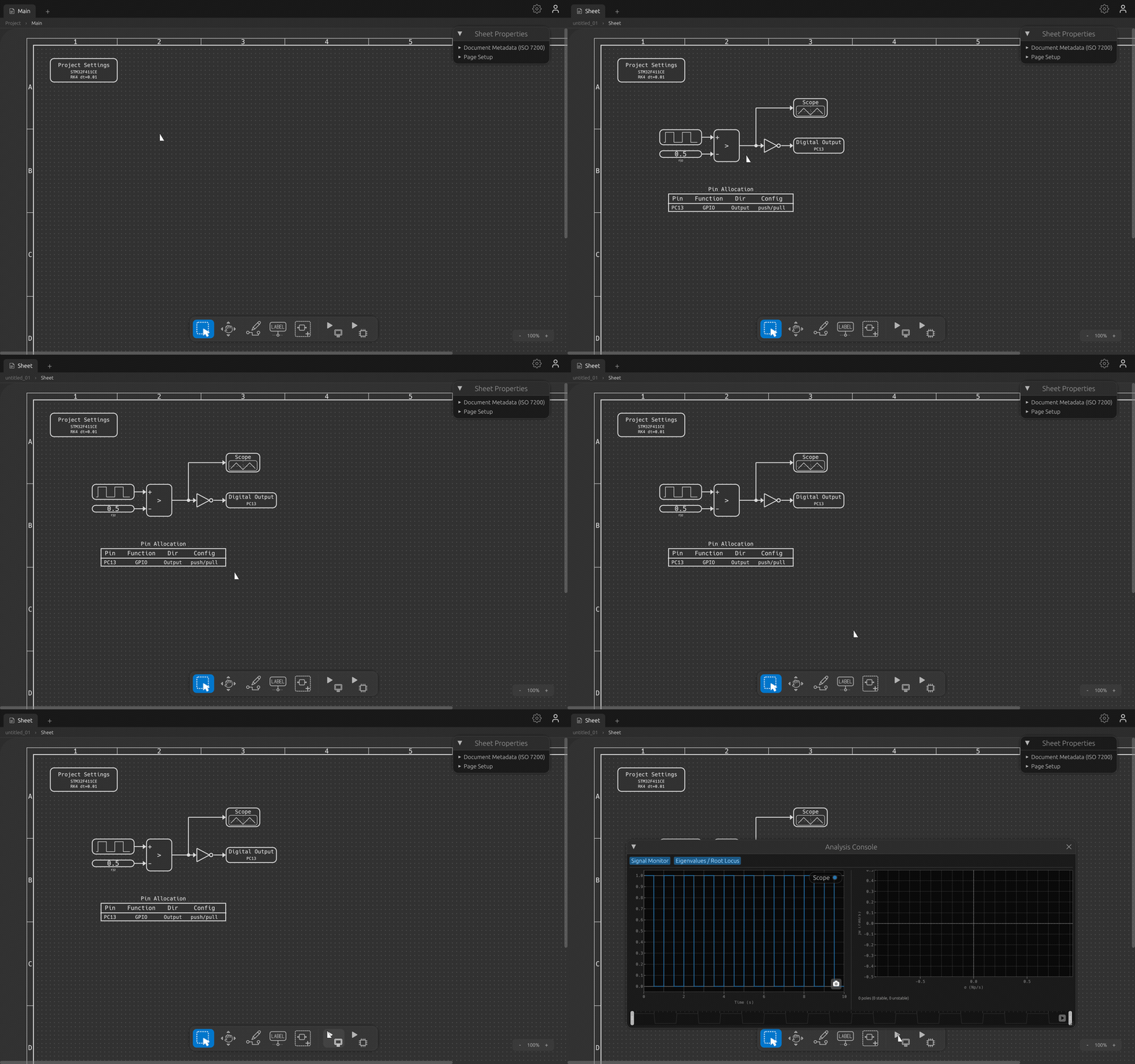
One short loop — from a blank canvas to blinking hardware.
Place blocks from the palette and connect their ports. Wires route themselves; parameters validate as you type.
Run the model through a real DAE solver and watch every signal in the built-in oscilloscope — before any hardware is involved.
Generate safe, pure-Rust firmware — with an optional auditable style — or flash an STM32 in one click. The board runs exactly what you simulated.
Everything you need for the design → deploy loop.
Canvas, wiring, parameters, simulation, the scope, examples, and flashing to hardware.
Open the tutorial →Free for evaluation and personal use. Grab the latest build — no build toolchain required.
Apple Silicon (M-series) .dmg.
Signed and notarized by Apple — on first launch just click Open; see macOS setup.
x64 zip — extract and run block_designer.exe.
Not code-signed yet, so Windows will block it on first run. A one-time “Run anyway” gets you in; see Windows setup & troubleshooting.
Each link points at the latest build. Binaries are free for personal use.
Found a bug or have an idea? I'd love to hear it — open an issue or start a discussion on GitHub.